# Shared Guides
# Magic eP
[magic-ep.dfactoryindex.com](https://magic-ep.dfactoryindex.com)
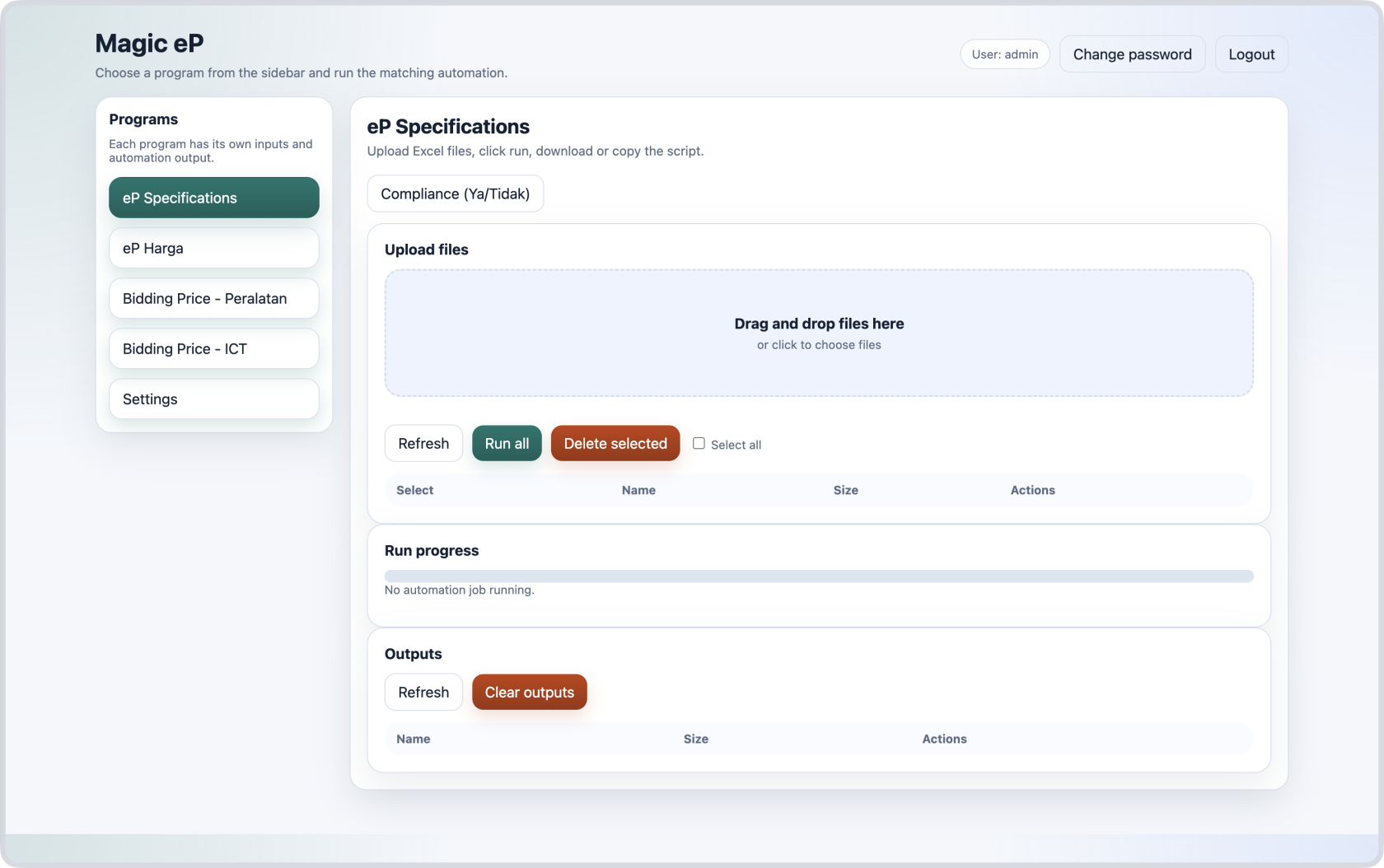
# eP Specifications
[](https://lib.dfactoryindex.com/uploads/images/gallery/2026-07/ep-spec-1.png)
How to:
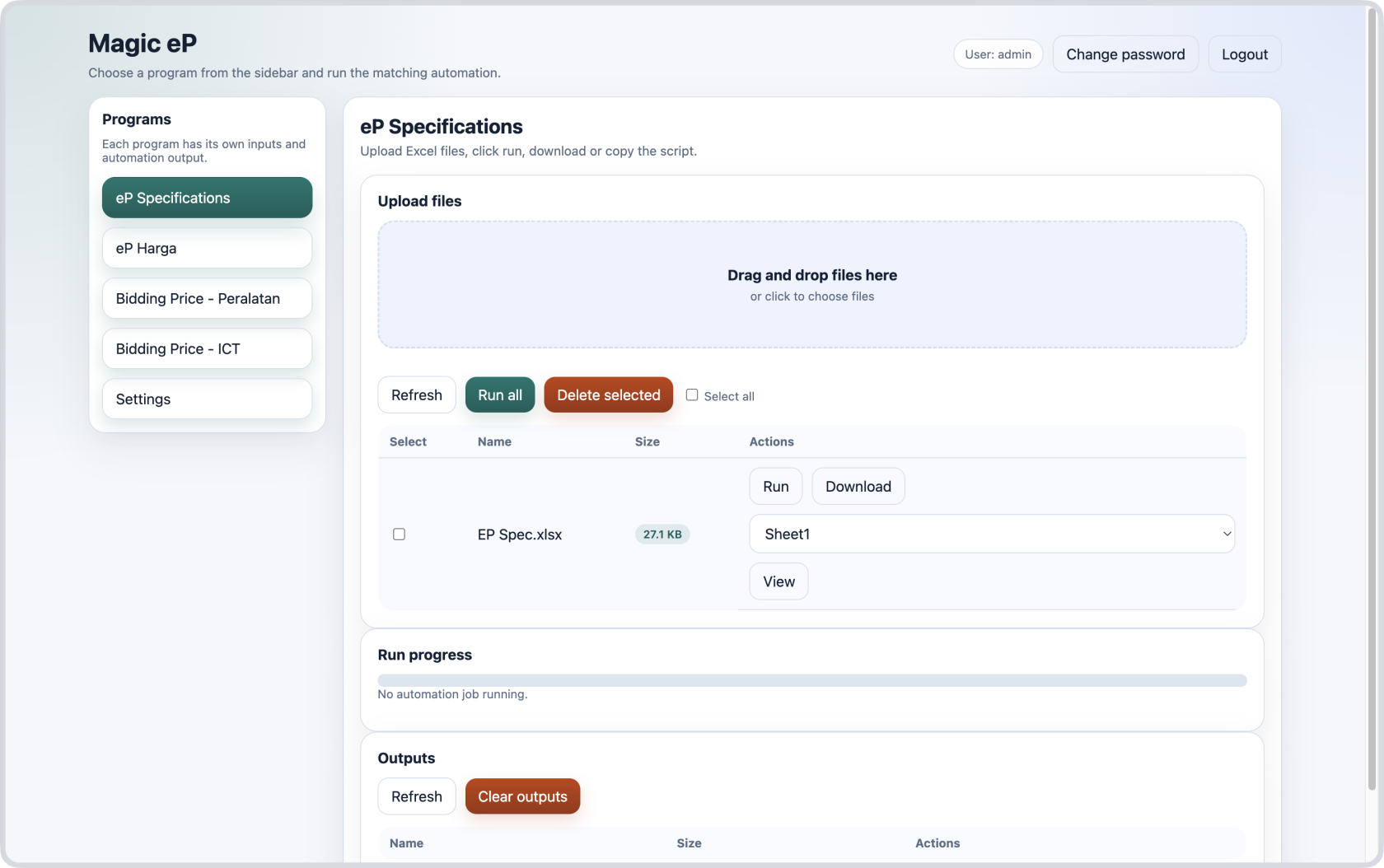
1. **Upload excel files** containing the specifications as extracted from ePerolehan website.
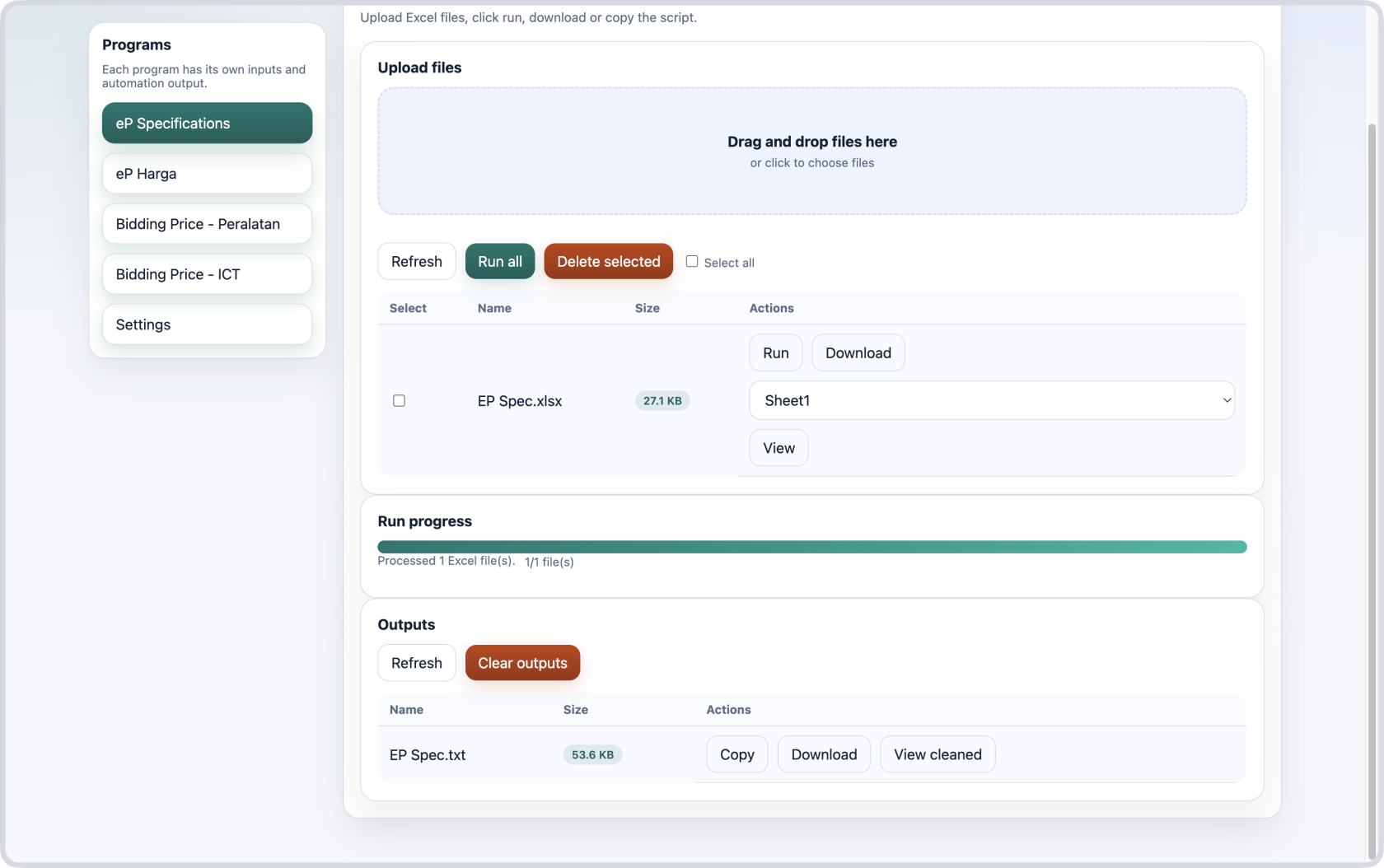
2. Click the `Run all` button or run for individual excel files.
3. Copy the script that will automatically filled in the details and remarks.
4. Click `Compliance` button to copy the script for Ya/Tidak options.
---
##### 1 - Upload file
[](https://lib.dfactoryindex.com/uploads/images/gallery/2026-06/ep-spec-2.png)
##### 2 - Click Run
[](https://lib.dfactoryindex.com/uploads/images/gallery/2026-06/ep-spec-3.png)
##### 3 - Copy script
Example:
```javascript
maklumbalas_arr = [`1 PPHD 1001 ROTARY HAMMER DRILL`,
`Please specify the product country origin, brand name and model number
The ROTARY HAMMER DRILL should have minimum requirement as below :
1.0 GENERAL SPECIFICATION / DESCRIPTION
1.1 The tool for hammer drilling in concrete, brick and stone. It is also suitable for wood, metal, ceramic and plastic.
1.2 Electronic control and forward/reverse rotation`,
]
catatan_arr = [``,
]
var textareas = document.querySelectorAll('textarea[id^="_scSupplierProposal_WAR_NGePportlet_:form:j_idt"]');
var id = textareas[0].id.match(/idt(\d+)/)[1];
maklumbalas_arr.forEach((data, i) => {
var txt = document.getElementById(`_scSupplierProposal_WAR_NGePportlet_:form:j_idt${id}:questionTbl:${i}:answerText`);
if (txt!=null) {
txt.value = data;
}
});
catatan_arr.forEach((data, i) => {
var remarks = document.getElementById(`_scSupplierProposal_WAR_NGePportlet_:form:j_idt${id}:questionTbl:${i}:answerRemarks`);
if (remarks!=null) {
remarks.value = data;
}
});
```
##### 4 - Optional Actions (Download, View cleaned)
- Download button lets you download the code/script above.
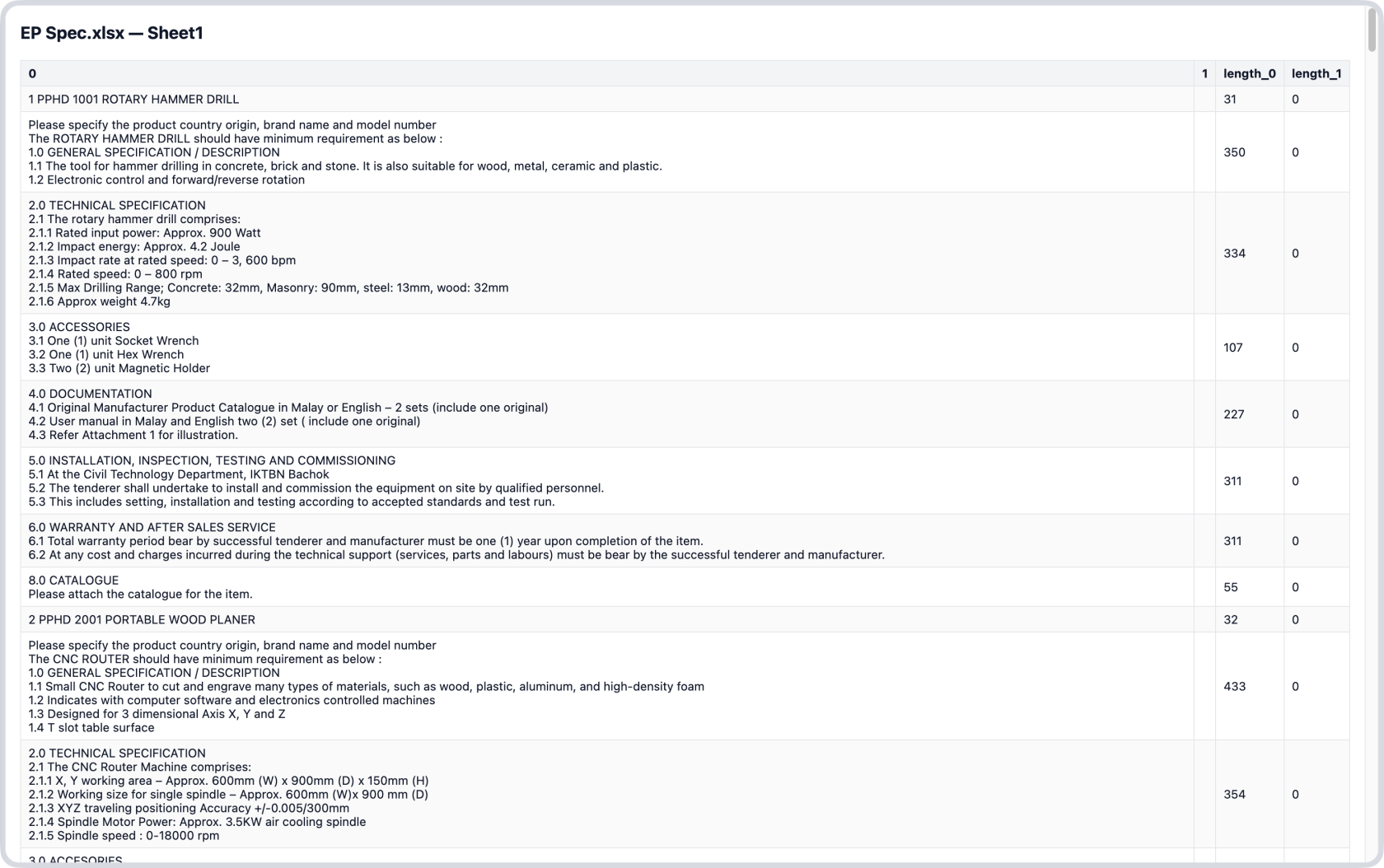
- View cleaned button lets you see the information that will be filled in including the characters length of each row data.
- Future improvements: Highlight the row with >1000 length.
[](https://lib.dfactoryindex.com/uploads/images/gallery/2026-06/ep-spec-4.png)
# eP Harga
[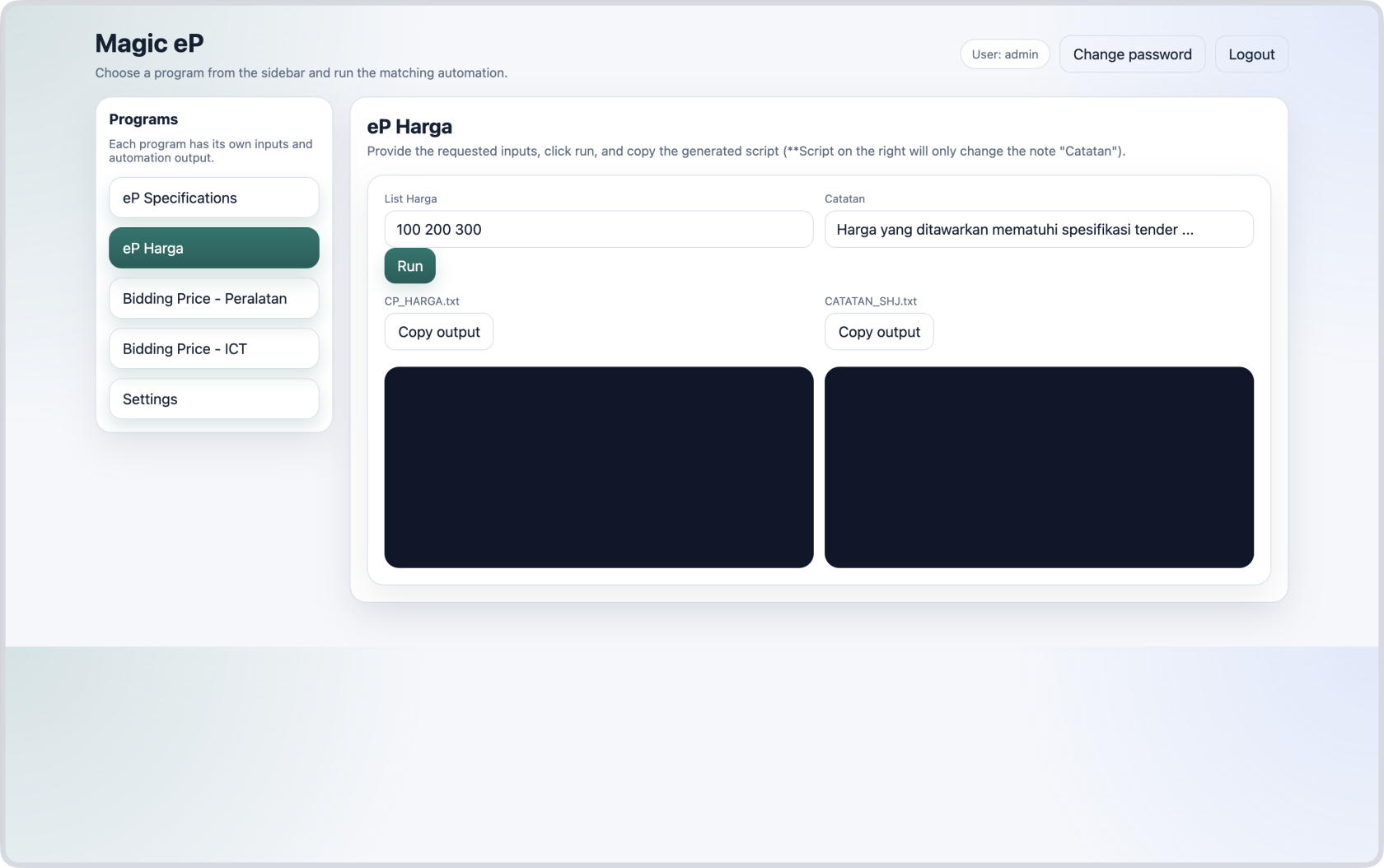](https://lib.dfactoryindex.com/uploads/images/gallery/2026-06/ep-harga.png)
How to:
1. Copy price list from excel file and paste it in `"List Harga"`. For example: `2,250.00 7,100.00 5,397.00`
2. Fill in the remarks `Catatan`.
3. Click the Run button.
4. Copy the output on the left side to automatically fill in the prices and remarks.
5. (Optional) Copy the output on the right side to change only the remarks `Catatan` for other bidding companies.
---
##### Example after running the program
[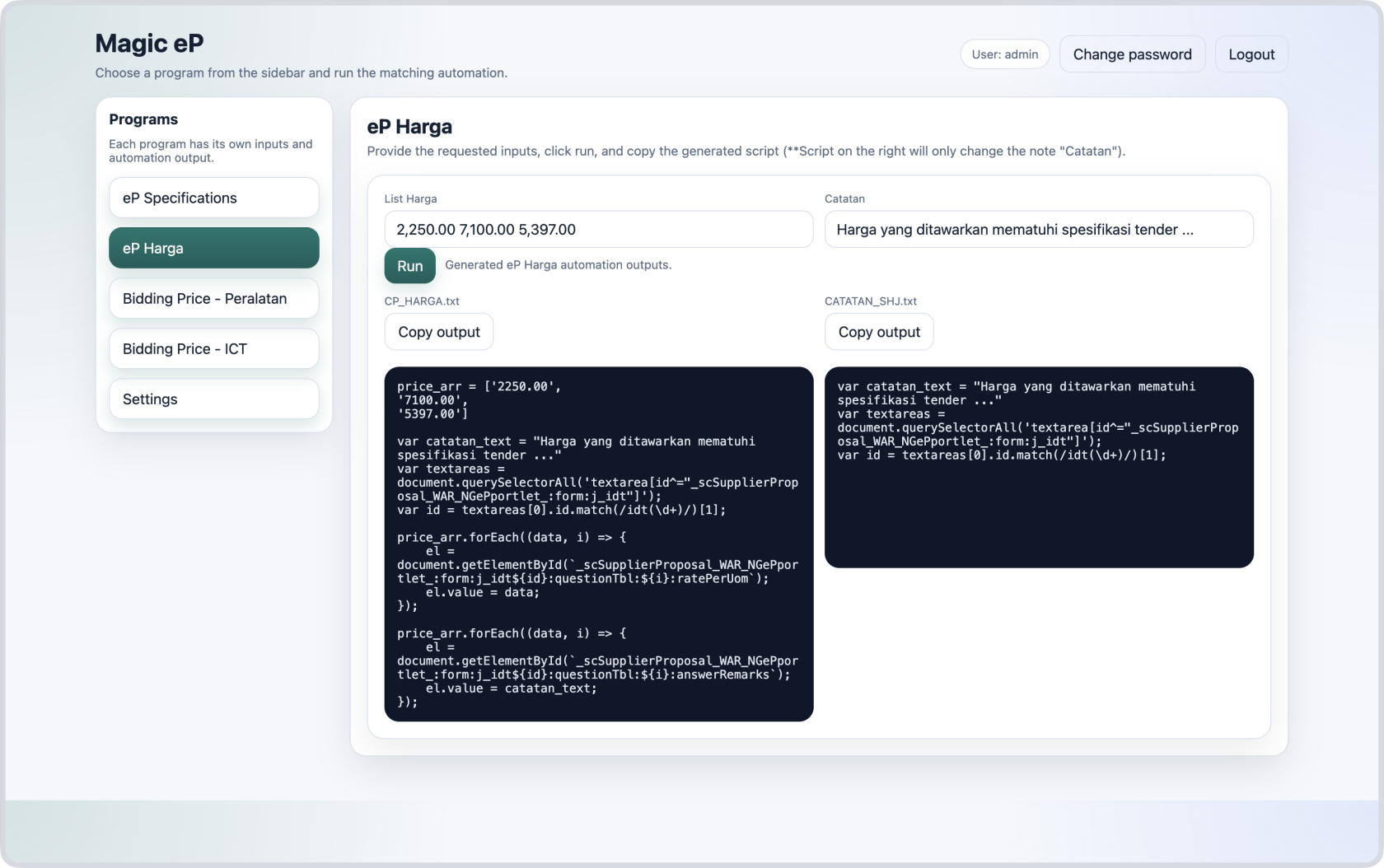](https://lib.dfactoryindex.com/uploads/images/gallery/2026-06/ep-harga-2.png)
# Bidding Price — Peralatan
[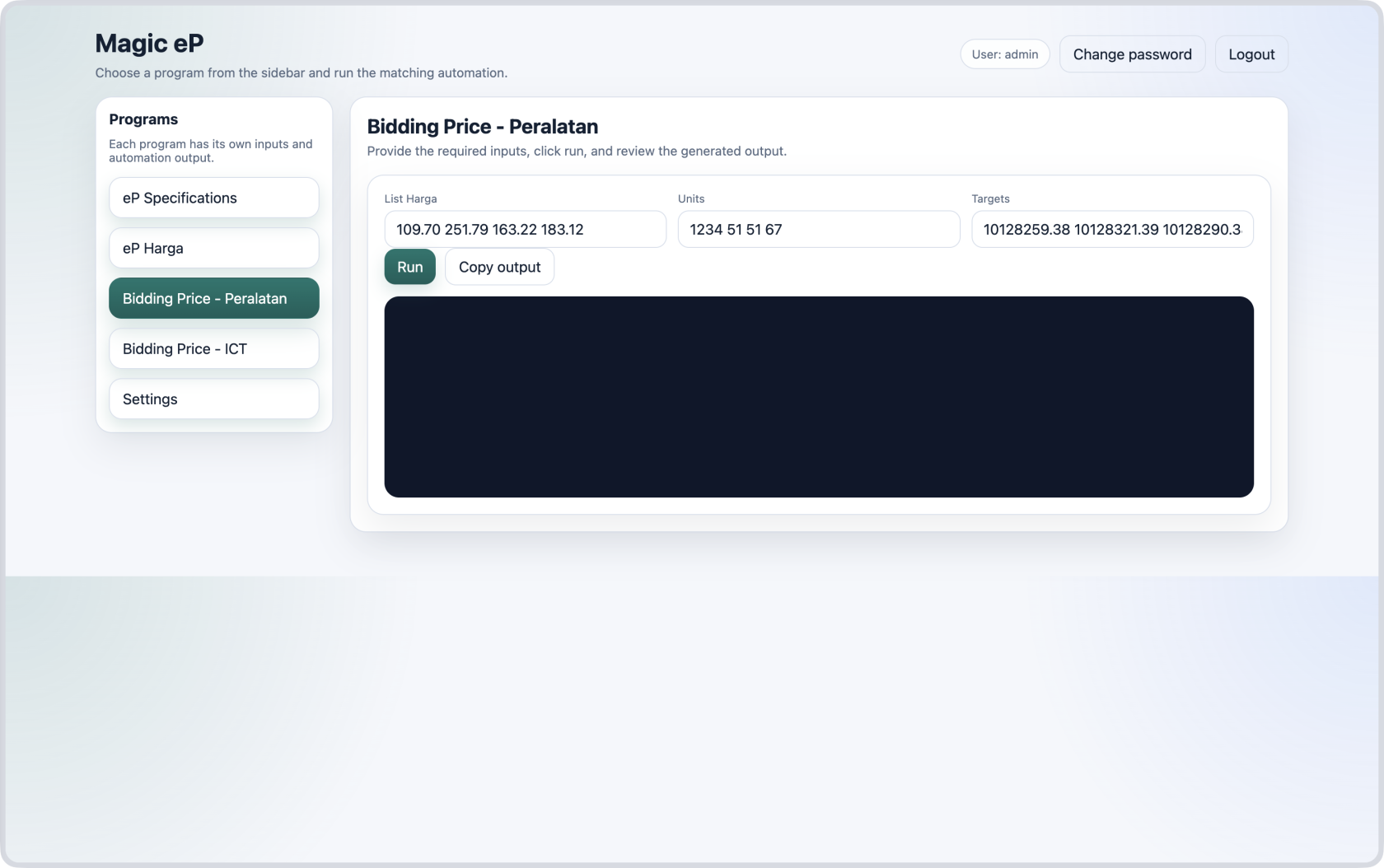](https://lib.dfactoryindex.com/uploads/images/gallery/2026-06/bidding-price-peralatan.png)
How to:
1. Copy the items' prices from excel file and paste it in the field `List Harga`
2. Copy the items' units from excel file and paste it in the field `Units`
3. Copy the bidding companies' target prices and paste it in the field `Targets`
4. Click the Run button.
5. Copy the output.
---
##### Example after running the program
[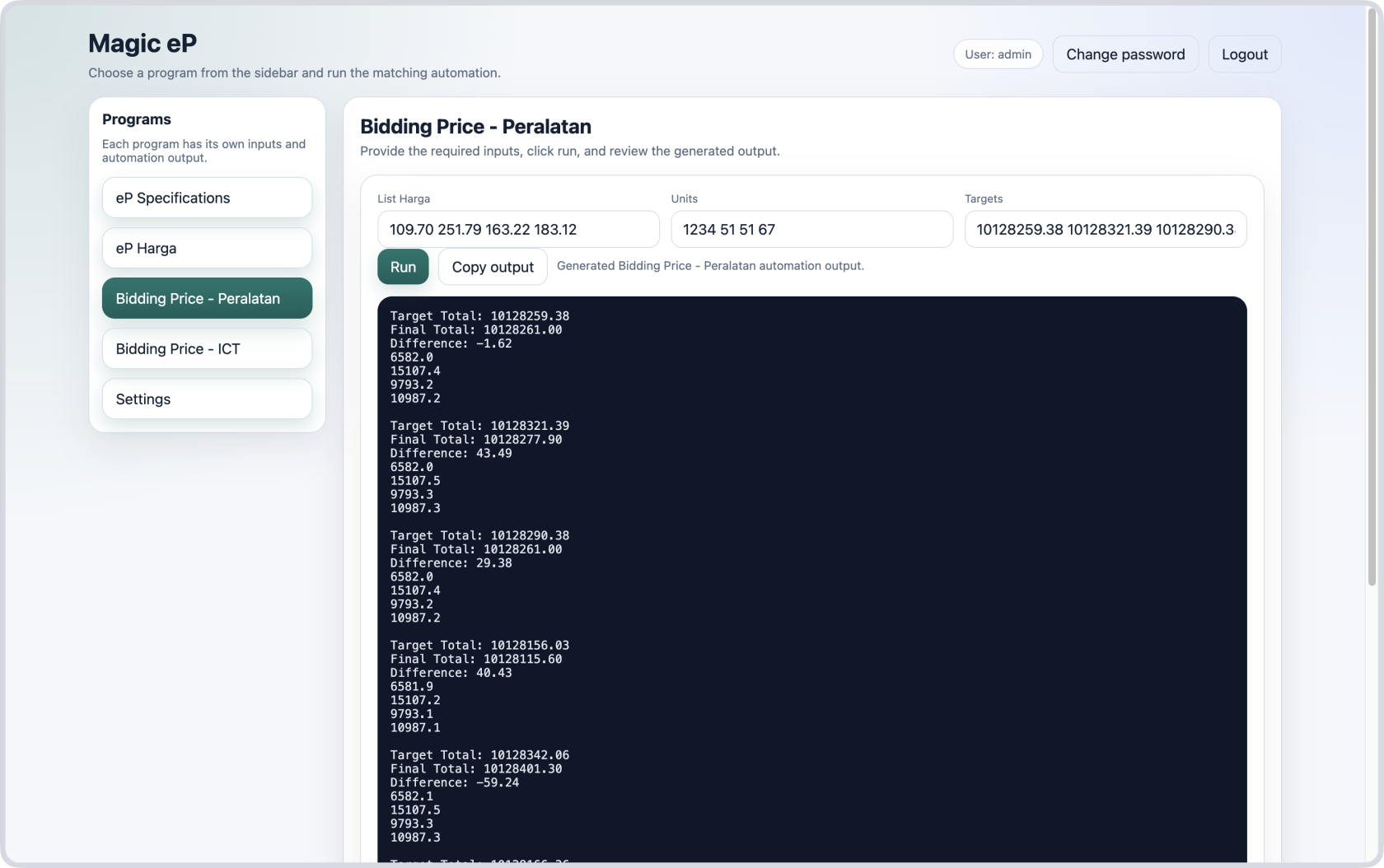](https://lib.dfactoryindex.com/uploads/images/gallery/2026-06/bidding-price-peralatan-2.png)
# Bidding Price — ICT
[](https://lib.dfactoryindex.com/uploads/images/gallery/2026-06/bidding-price-ict.png)
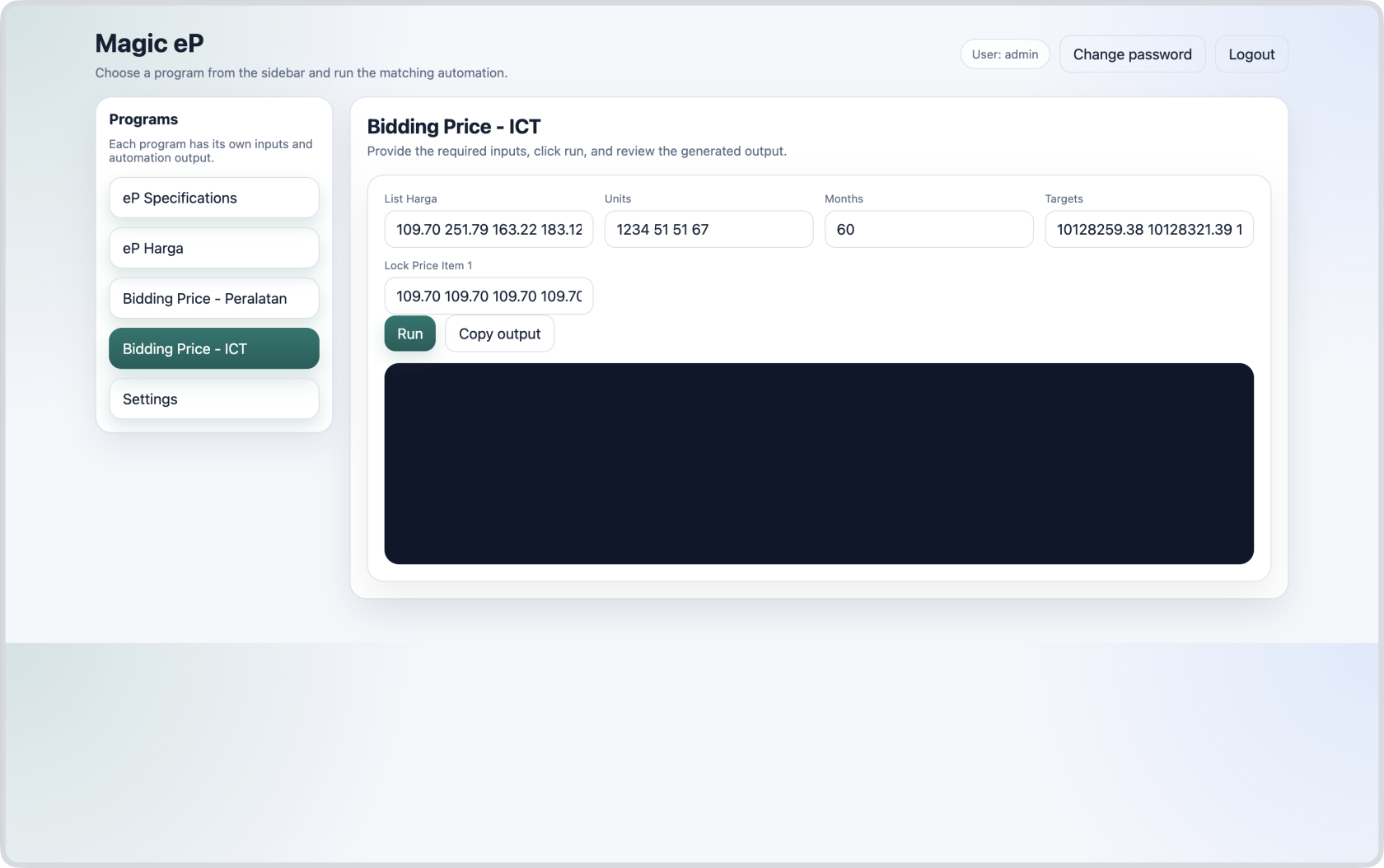
How to:
1. Copy one example of items' prices from excel file and paste it in the field `List Harga`
2. Copy the items' units from excel file and paste it in the field `Units`
3. Copy the number of months from excel file and paste it in the field `Months`
4. Copy the bidding companies' target prices and paste it in the field `Targets`
5. Set the first item price for each targets in `Lock Price Item 1`
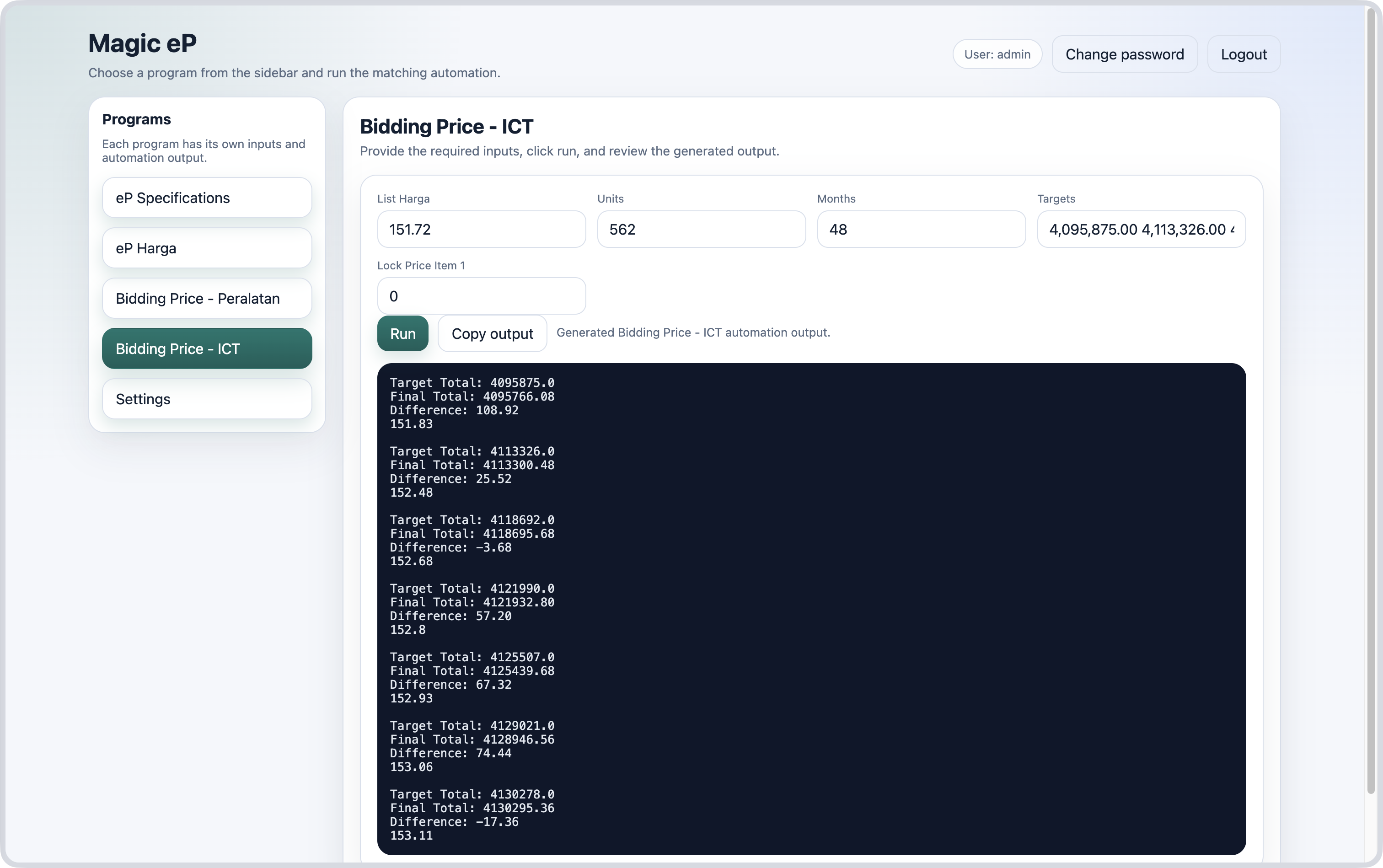
- If there is only one item, this field will be ignored and the bidding price will be calculated as follows;
**Price = Target ÷ (Units × Months)**
6. Click the Run button.
7. Copy the output.
---
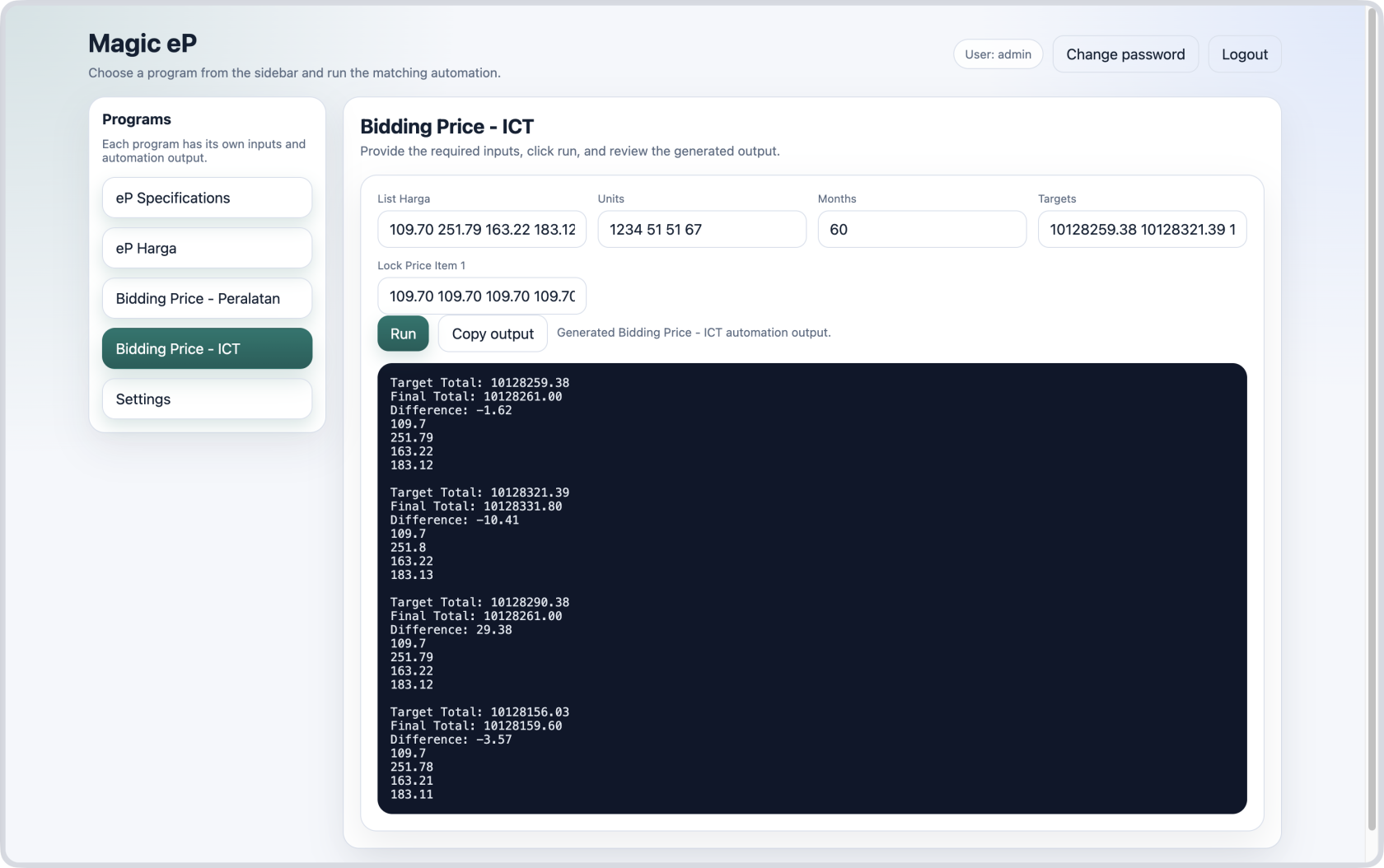
##### Case 1 — Predict prices for multiple items
[](https://lib.dfactoryindex.com/uploads/images/gallery/2026-06/bidding-price-ict-2.png)
##### Case 2 — Predict price for one item
[](https://lib.dfactoryindex.com/uploads/images/gallery/2026-06/bidding-price-ict-2.png)
# Recommended Apps
List of recommended apps for work
# Inventory-Related Apps
[](https://lib.dfactoryindex.com/uploads/images/gallery/2026-06/image.png)
##### ***Mobile Inventory by Bino Solutions (For Android Users)***
[play.google.com/store/apps/details?id=ro.bino.inventory&hl=en](https://play.google.com/store/apps/details?id=ro.bino.inventory&hl=en)
**Inventory app for stock counting, barcode scanning, stock taking, and warehouse inventory management.**
Mobile Inventory helps you count stock as a team, scan barcodes fast, and track quantities across one or many locations from a phone or tablet. It works offline, has no ads, and keeps stock control simple for daily operations, audits, and warehouse workflows.
---
[](https://lib.dfactoryindex.com/uploads/images/gallery/2026-06/Nj6image.png)
##### ***Inventory Scanner Stock Count (For Iphone Users)***
[apps.apple.com/my/app/inventory-scanner-stock-count](https://apps.apple.com/my/app/inventory-scanner-stock-count/id6766062884)
**Scan barcodes, update quantities automatically, and export clean CSV files for Excel or Sheets.**
Inventory Scanner Stock Count is built for small businesses, sellers, and operators who need a fast way to scan barcodes,
count stock, and export the result.
Start a count session, scan items, and keep moving. Duplicate scans automatically update quantities, so you do not have to
stop after every item. Review your live count list, edit quantities, rename items, and search inside the session when needed. When the count is done, export a clean CSV file that is easy to open in Excel, Google Sheets, or your own workflow. Use
recount and variance review tools when you need to compare expected and counted quantities.
Use it for:
- Small business stock counts
- Pop-up shop inventory checks
- Event seller inventory
- Backroom or shelf counts
- Office, asset, or library counts
- Simple barcode-based item counts
It focuses on one job: scan items, count stock, and export clean CSV.
# Design Apps - Alternatives for Adobe Photoshop & Illustrator
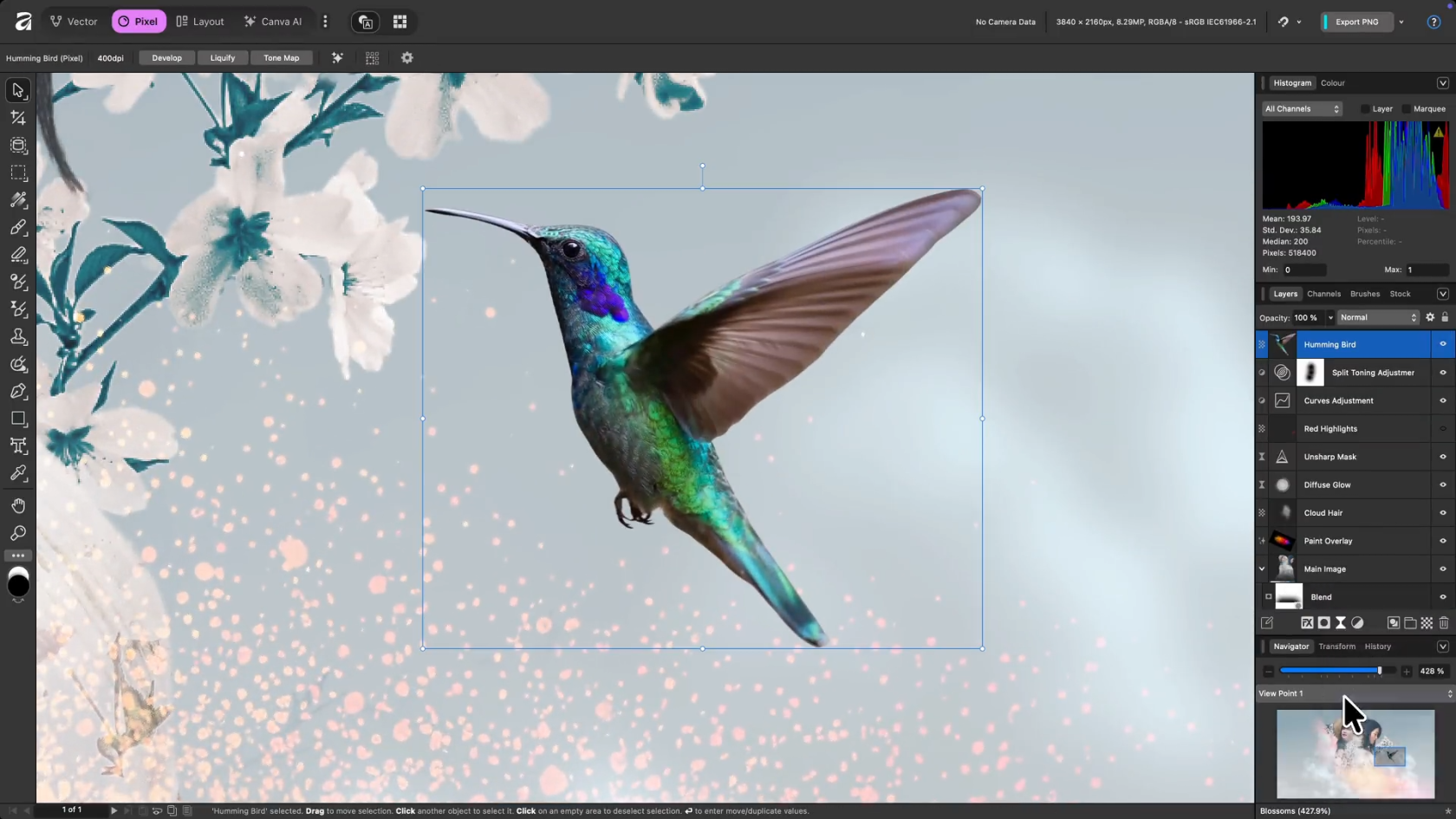
#### ***affinity by Canva***
*[affinity.studio/get-affinity](https://www.affinity.studio/get-affinity)*
[](https://lib.dfactoryindex.com/uploads/images/gallery/2026-06/Cxcimage.png)
# Productivity Apps
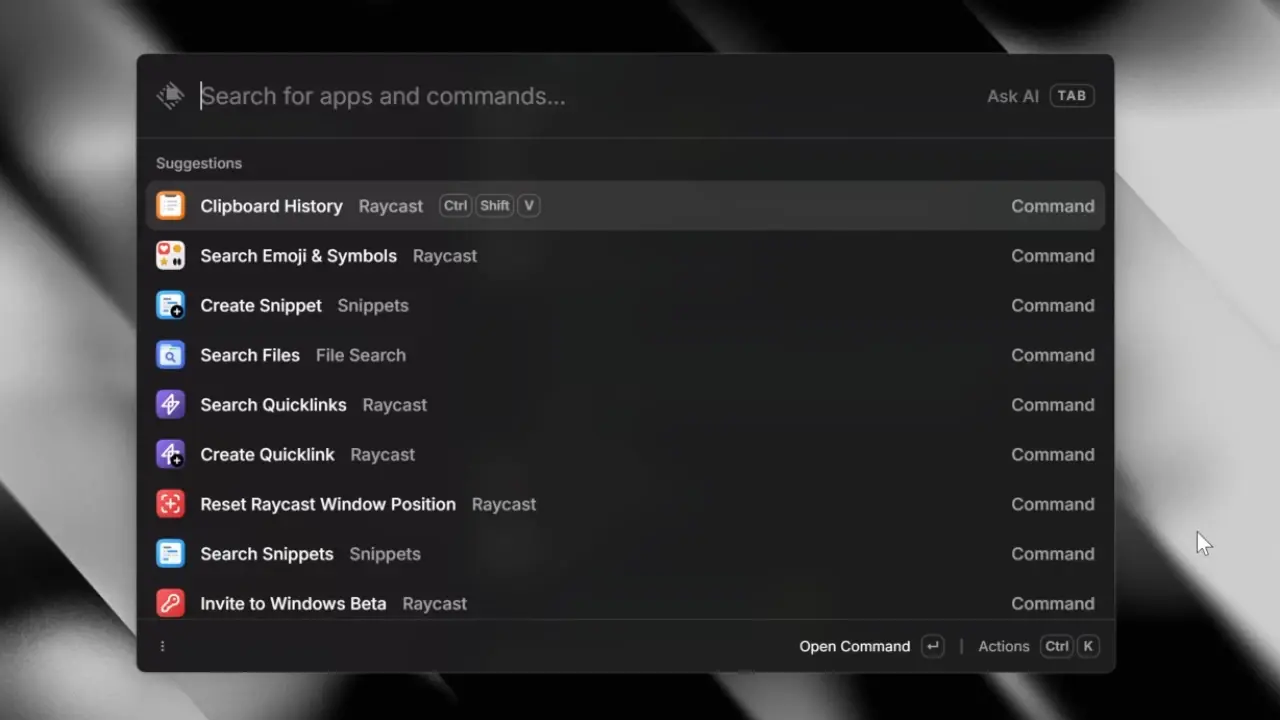
##### ***Raycast***
[www.raycast.com/windows](https://www.raycast.com/windows)
> **Your shortcut to everything**
> A collection of powerful productivity tools all within
> an extendable launcher. Fast, ergonomic and reliable.
[](https://lib.dfactoryindex.com/uploads/images/gallery/2026-06/UOwimage.png)
##### ***Microsoft PowerToys***
[github.com/microsoft/PowerToys](https://github.com/microsoft/PowerToys)
> Microsoft PowerToys is a collection of utilities that help you customize Windows and streamline everyday tasks.
[](https://lib.dfactoryindex.com/uploads/images/gallery/2026-06/hsrimage.png)